
Photo Upload Manager for customer job photos
Unbaggaged uses a WorkPhotos-powered upload workflow to collect customer photos and notes without requiring customers to create an account or log in.
At Unbaggaged, trust is at the heart of everything we do. WorkPhotos has helped us add an extra layer of transparency to our luggage transfer process by enabling customers to document their belongings before collection. It's a simple solution that enhances confidence, improves communication and supports the premium experience we strive to deliver.
No customer login
Customers receive a secure upload link or QR code and can submit photos directly from their phone.
Photos tied to jobs
Each upload link is connected to a specific job, keeping images and notes organised.
Simple admin control
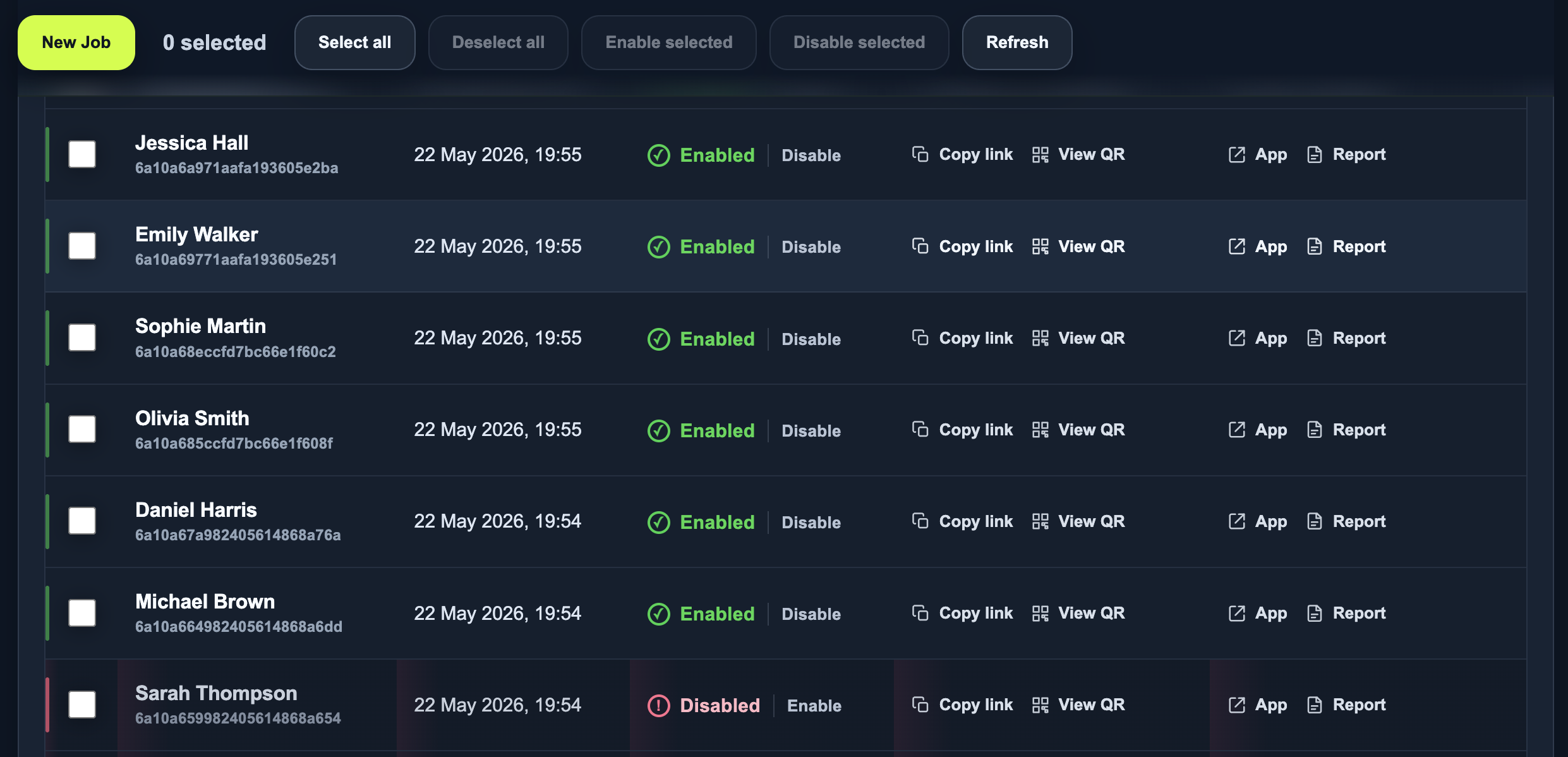
Staff can create jobs, copy upload links, view submissions, and enable or disable inbound uploads.
Why Unbaggaged needed it
Customer-submitted photos are useful for many operational workflows, but asking customers to email images, send messages, or log in to a portal can create friction. The Photo Upload Manager gives Unbaggaged a faster way to request and receive job-specific images.
How it works
Create a job
Staff create a job in the management portal using the customer or job name.
Share the link
The system generates a customer upload link and QR code for that job.
Customer uploads
The customer opens the branded page, adds photos and optional notes, and submits them from their phone.
Review photos
Uploaded images and notes are attached to the correct WorkPhotos job for staff to review.
The management portal
Staff can see customer jobs, copy upload links, view QR codes, and control whether inbound uploads are enabled for each job.
What it gives the team
A simple upload link is often easier than asking a customer to email photos, log in to a system, or find the right conversation thread later.
Photo Upload Manager, used by Unbaggaged and powered by WorkPhotos.Built around the customer experience
The upload flow is designed for mobile use. A customer can scan a QR code or open a link, select photos, add a note if needed, and submit everything into the correct job.
The branded upload page keeps the customer journey simple: open the link, select photos, add an optional note, and upload.

This page describes a workflow used by Unbaggaged. WorkPhotos provides the photo upload and job-image management layer.